Log in
 Help
Help Contact
 English
 Français
 Español
Fast setup, no fees
In less than 24 hours you can test TicknCook in your restaurant.
Easy to learn, with access to every setting and a 15-day free trial.

The KDS: the screens
Kitchen screenCounter screenExpo screenFront-of-house screenThe KDS: key features
Course managementStation routingPrep stepsTicket printingPlatform integrationsOrder takingStatisticsUse cases by restaurant type
Burgers and fast foodIce cream shop, bakery, food truck and small kitchensPizzeriaFranchises and restaurant chainsTraditional table serviceEventsPricingPartnersBlogHelpContactLog inTry it!
In a stadium, a concert hall, a festival or any large event, what matters most is absorbing a very high volume in a short time, without losing speed or clarity.
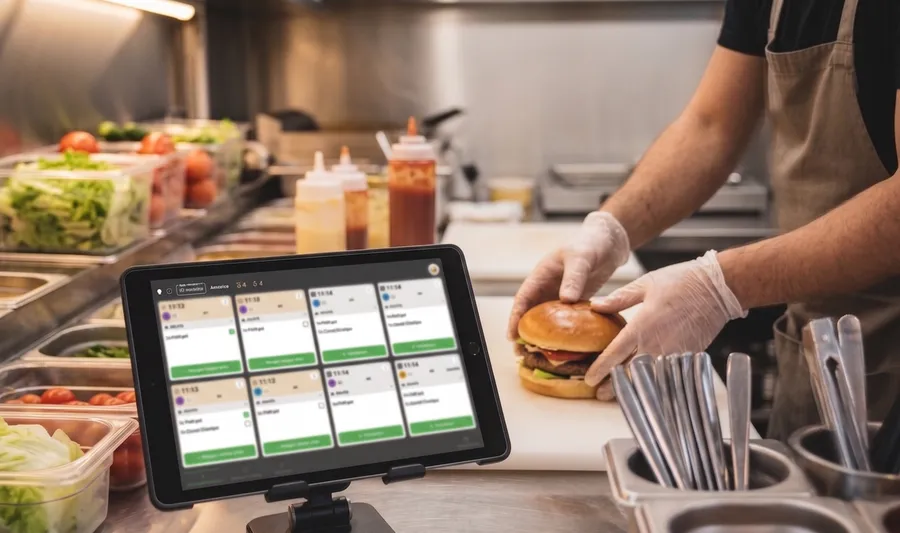
TicknCook is a perfect fit. The solution centralizes orders, speeds up preparation and organizes pick-up better, with screens designed for high-throughput environments.
They trust us




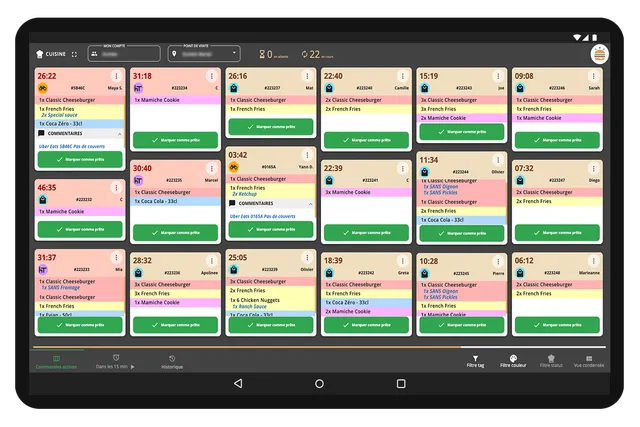
TicknCook first saves time in the kitchen thanks to item aggregation. When the menu is simple or repetitive, teams immediately see how many items to prepare across all orders, instead of reading ticket by ticket.
The solution also integrates with QR code ordering systems, letting customers order and pay from their smartphone and see their order appear automatically on the KDS. Once the order is ready, the counter can scan the pick-up QR code to quickly find the right order among many.
Finally, the queue screen keeps customers informed about their order. They know immediately whether it is in progress or done and can come at the right moment, easing the crowd around the counter.
The result? Less friction at the counter, faster preparation and an organization better suited to big events. Exactly what you need when several hundred orders can land in a few minutes.
In less than 24 hours you can test TicknCook in your restaurant.
Easy to learn, with access to every setting and a 15-day free trial.

An Android tablet, an iPad, or a touch screen connected to a mini-PC — an internet connection is all TicknCook needs.

Our technical support answers whenever you need it and helps you set up and install TicknCook.
We answer you directly on WhatsApp — click the button or scan the QR code with your phone.
Because at TicknCook we like to keep things simple and human ;)