Log in
 Help
Help Contact
 English
 Français
 Español
Fast setup, no fees
In less than 24 hours you can test TicknCook in your restaurant.
Easy to learn, with access to every setting and a 15-day free trial.

The KDS: the screens
Kitchen screenCounter screenExpo screenFront-of-house screenThe KDS: key features
Course managementStation routingPrep stepsTicket printingPlatform integrationsOrder takingStatisticsUse cases by restaurant type
Burgers and fast foodIce cream shop, bakery, food truck and small kitchensPizzeriaFranchises and restaurant chainsTraditional table serviceEventsPricingPartnersBlogHelpContactLog inTry it!
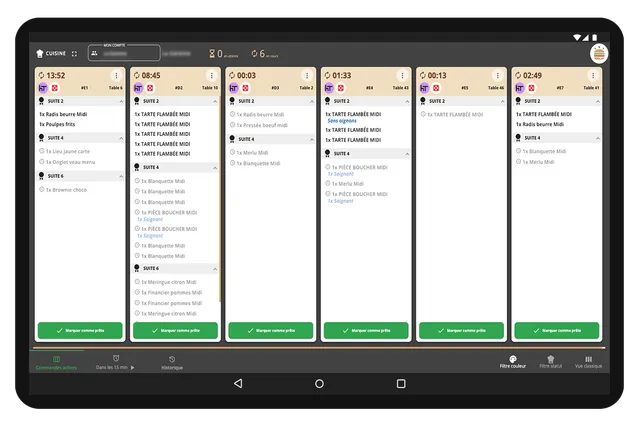
In traditional restaurants, brasseries or hybrid concepts, table service requires more than just displaying orders. You need to manage courses, fire dishes at the right moment, keep the kitchen and the dining room well coordinated, and adapt to the way you work.
That is exactly where TicknCook makes the difference. The solution is highly configurable directly in the app, letting you show, hide, filter or simplify certain actions to match how your establishment really operates and reduce taps to the minimum.
They trust us



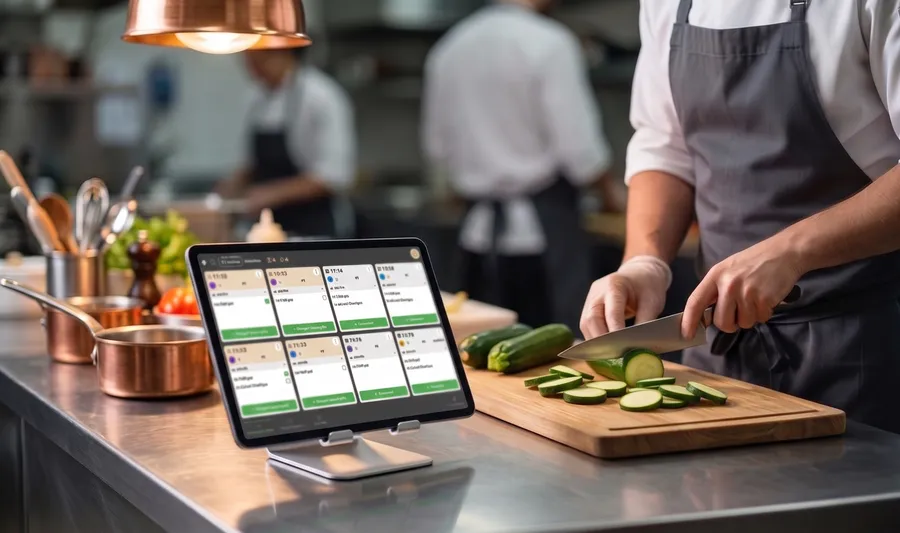
Courses, firing and call-aways handled! TicknCook manages courses for restaurants with table service. You can fire dishes at the right moment and show the kitchen only what is left to prepare, keeping the screen free of useless information.
The head chef's perfect teammate! The KDS digitizes tickets and makes information flow between the dining room and the kitchen. The chef gets a better view of orders, priorities and service progress.
Fewer mistakes, more clarity. TicknCook displays and organizes the useful information such as cooking preferences, extras and table numbers. The result is easier to read than a stream of paper tickets and reduces the risk of mistakes during service.
Genuinely configurable operation. You can choose a single tap per order, a timer instead of a clock time, per-device filters or displaying only part of the order depending on the station.
The result? More flow, less stress and perfectly orchestrated table service.
In less than 24 hours you can test TicknCook in your restaurant.
Easy to learn, with access to every setting and a 15-day free trial.

An Android tablet, an iPad, or a touch screen connected to a mini-PC — an internet connection is all TicknCook needs.

Our technical support answers whenever you need it and helps you set up and install TicknCook.
We answer you directly on WhatsApp — click the button or scan the QR code with your phone.
Because at TicknCook we like to keep things simple and human ;)