Log in
 Help
Help Contact
 English
 Français
 Español
Fast setup, no fees
In less than 24 hours you can test TicknCook in your restaurant.
Easy to learn, with access to every setting and a 15-day free trial.

The KDS: the screens
Kitchen screenCounter screenExpo screenFront-of-house screenThe KDS: key features
Course managementStation routingPrep stepsTicket printingPlatform integrationsOrder takingStatisticsUse cases by restaurant type
Burgers and fast foodIce cream shop, bakery, food truck and small kitchensPizzeriaFranchises and restaurant chainsTraditional table serviceEventsPricingPartnersBlogHelpContactLog inTry it!
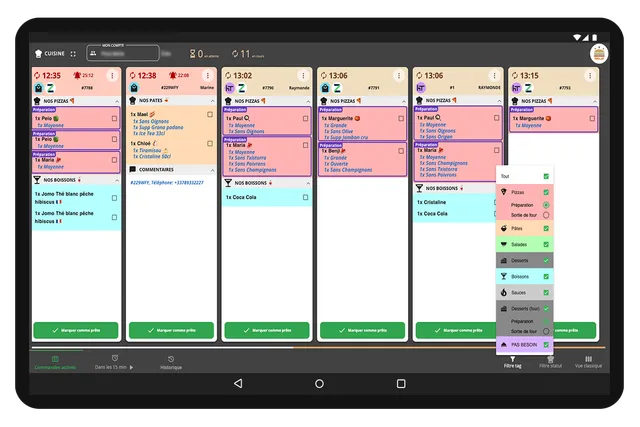
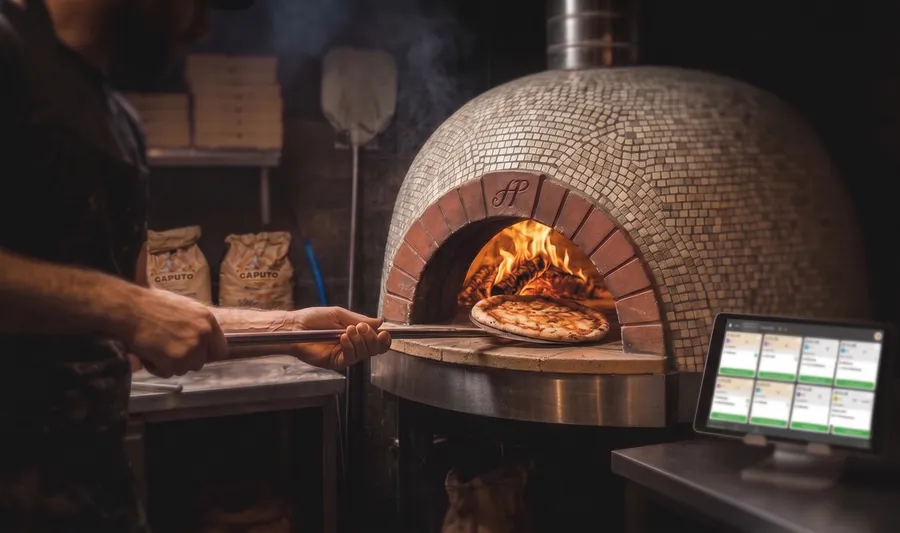
In a pizzeria, synchronization between all the stations is essential. A pizza may go through a first preparation step, then baking, then out of the oven — and sometimes the pizza station is separate from the rest of the kitchen. TicknCook organizes this production with a KDS built for step-based preparation and distant stations.
The solution doesn't just display orders. It adapts to the way you produce, to where the pizza station sits in your restaurant, and to the real logic of your service.
They trust us




TicknCook is particularly useful for pizzerias because the solution can manage the preparation steps of a single product. For example, a pizza may need a first step before moving to the next, with validation at each stage of production.
The KDS can also filter tickets by station. The pizzaiolo only sees what they have to prepare, while the other stations keep their own display. Even if the pizza station is far from the rest of the kitchen, information stays synchronized across screens.
TicknCook is a perfect fit for a pizzeria with traditional table service as well as for quick service with delivery.
The result? From prep to out of the oven, coordination is perfect and you gain speed.
In less than 24 hours you can test TicknCook in your restaurant.
Easy to learn, with access to every setting and a 15-day free trial.

An Android tablet, an iPad, or a touch screen connected to a mini-PC — an internet connection is all TicknCook needs.

Our technical support answers whenever you need it and helps you set up and install TicknCook.
We answer you directly on WhatsApp — click the button or scan the QR code with your phone.
Because at TicknCook we like to keep things simple and human ;)