Log in
 Help
Help Contact
 English
 Français
 Español
Fast setup, no fees
In less than 24 hours you can test TicknCook in your restaurant.
Easy to learn, with access to every setting and a 15-day free trial.

The KDS: the screens
Kitchen screenCounter screenExpo screenFront-of-house screenThe KDS: key features
Course managementStation routingPrep stepsTicket printingPlatform integrationsOrder takingStatisticsUse cases by restaurant type
Burgers and fast foodIce cream shop, bakery, food truck and small kitchensPizzeriaFranchises and restaurant chainsTraditional table serviceEventsPricingPartnersBlogHelpContactLog inTry it!
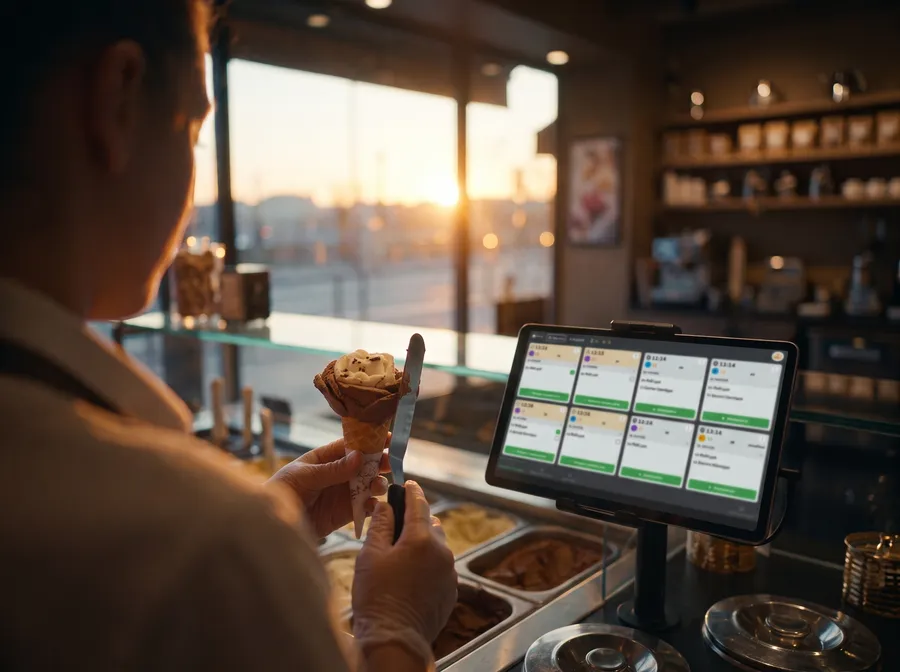
When you work in a small kitchen, an ice cream shop, a bakery or a food truck, you don't need an over-engineered machine. You need a simple tool that is quick to read, easy to learn, and able to save time for a small team that has to move very fast.
TicknCook is a perfect fit. The solution can run on a single screen, or two screens if you want to separate production and counter, while keeping a clear view of orders and their progress.
They trust us



In a small business, the team often does everything at once. Preparing, assembling, taking payment, handing over orders, managing the rush. The tool must go straight to the point and display only what genuinely helps produce faster.
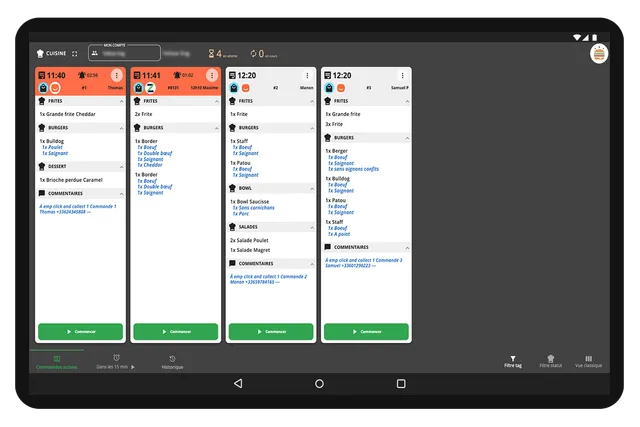
That is exactly where TicknCook shines. Orders appear automatically by urgency or arrival time, even on a small screen, and the interface can be simplified to reduce taps and move faster every day.
The solution also shows at a glance whether an order has been paid — which is especially useful when the same person has to prepare and hand over the order.
The result? A small team gains clarity immediately. Orders are easier to read, better sorted and simpler to process — even when speed is everything!
In less than 24 hours you can test TicknCook in your restaurant.
Easy to learn, with access to every setting and a 15-day free trial.

An Android tablet, an iPad, or a touch screen connected to a mini-PC — an internet connection is all TicknCook needs.

Our technical support answers whenever you need it and helps you set up and install TicknCook.
We answer you directly on WhatsApp — click the button or scan the QR code with your phone.
Because at TicknCook we like to keep things simple and human ;)