Log in
 Help
Help Contact
 English
 Français
 Español

Download the app from your store
The easiest way to install TicknCook is to download the app from your device’s store: Google Play (Android), the App Store (iPad) or the Amazon Appstore (Amazon Firestick TV).



No access to these stores on your tablet? No problem: TicknCook is also a Progressive Web App, so you can simply add the TicknCook icon to your tablet screen from the web browser, as shown below. Either way, you automatically get every update — no need to install them yourself!
How to add the TicknCook icon on an iPad?
- Go to TicknCook from your web browser. In the video, we used Safari.
- Tap the share icon next to the address bar.
- Scroll and tap “Add to Home Screen”.
- Then tap Add.
- That’s it — the TicknCook icon has been added to your iPad home screen!
How to add the TicknCook icon on an Android tablet?
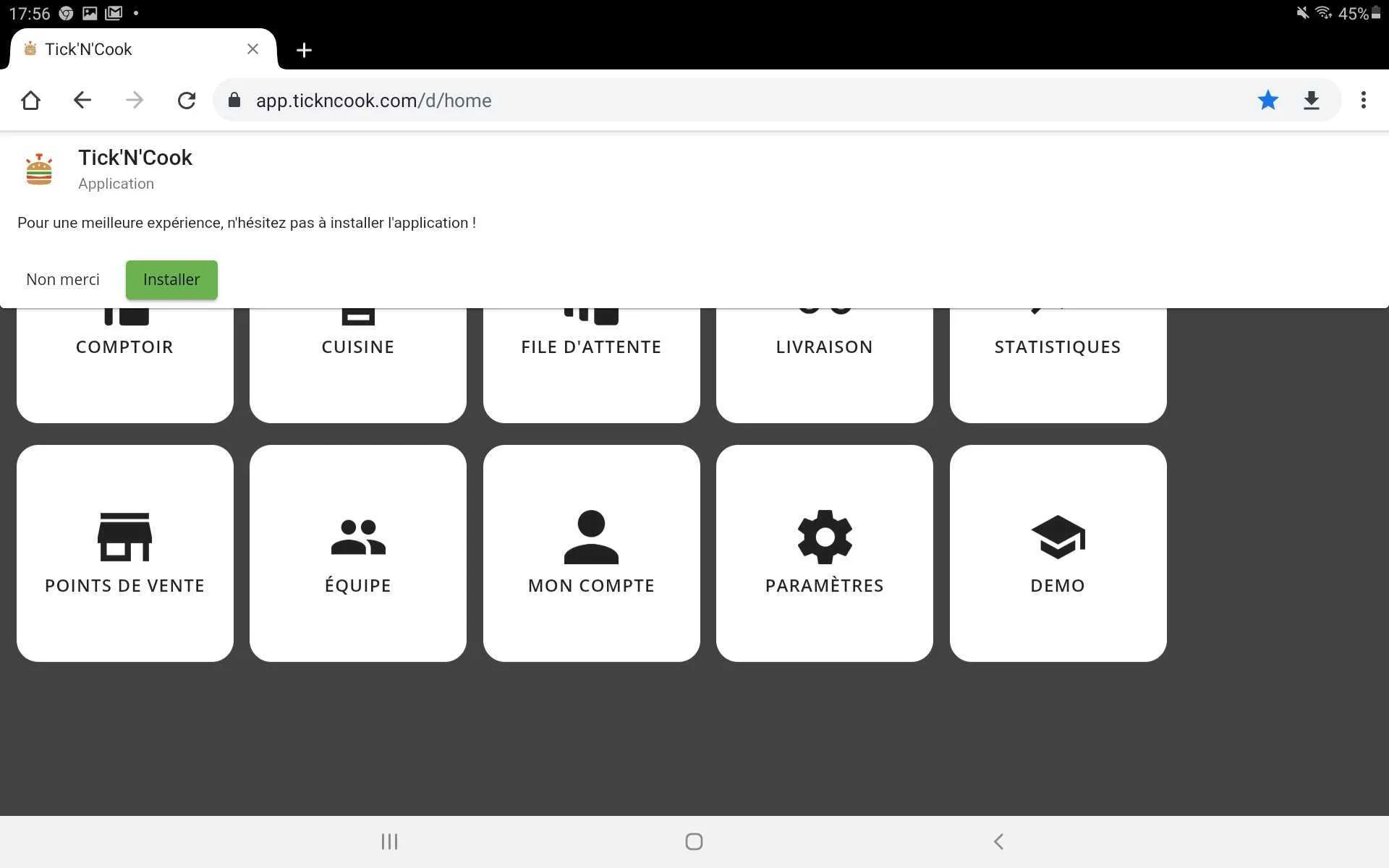
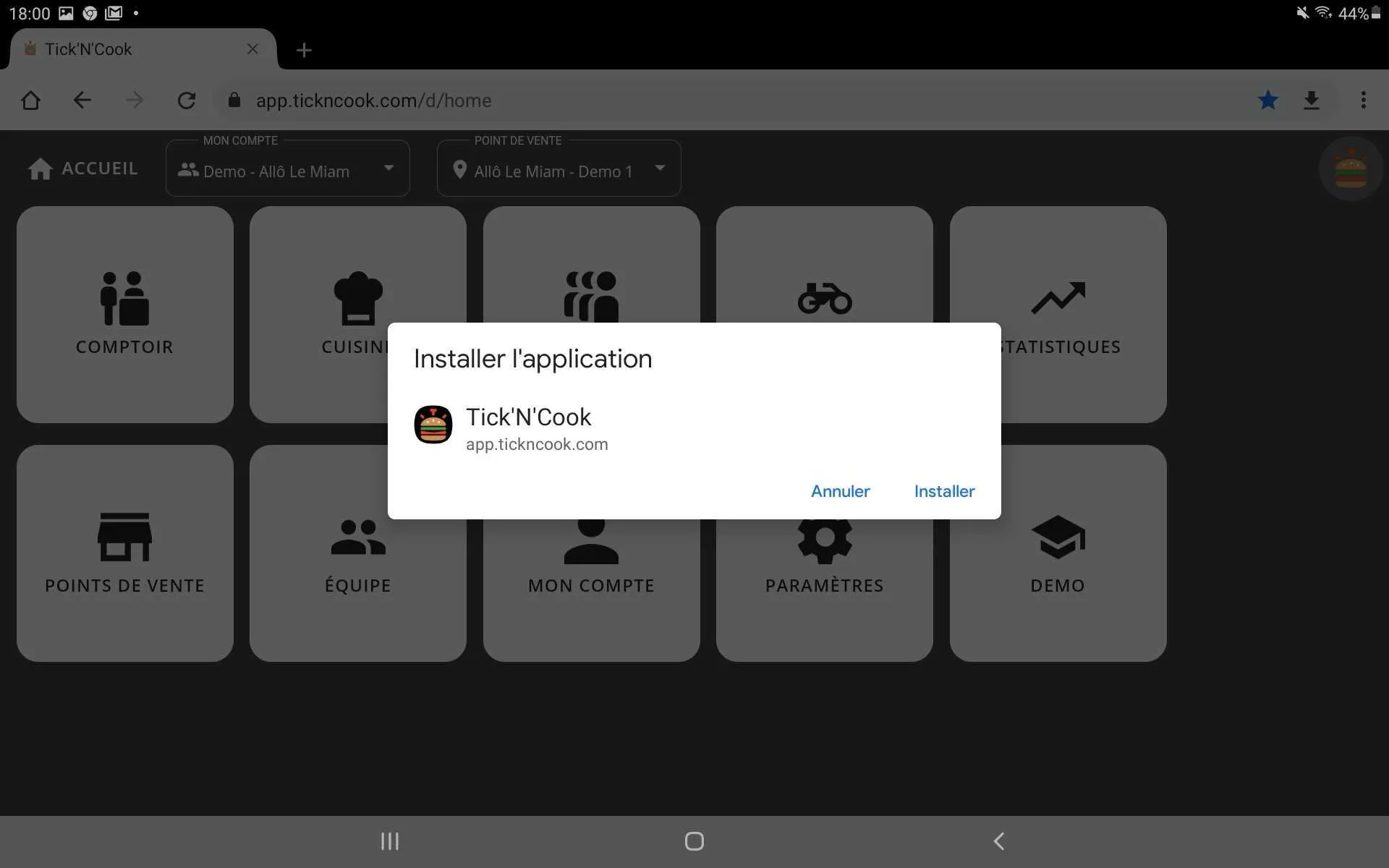
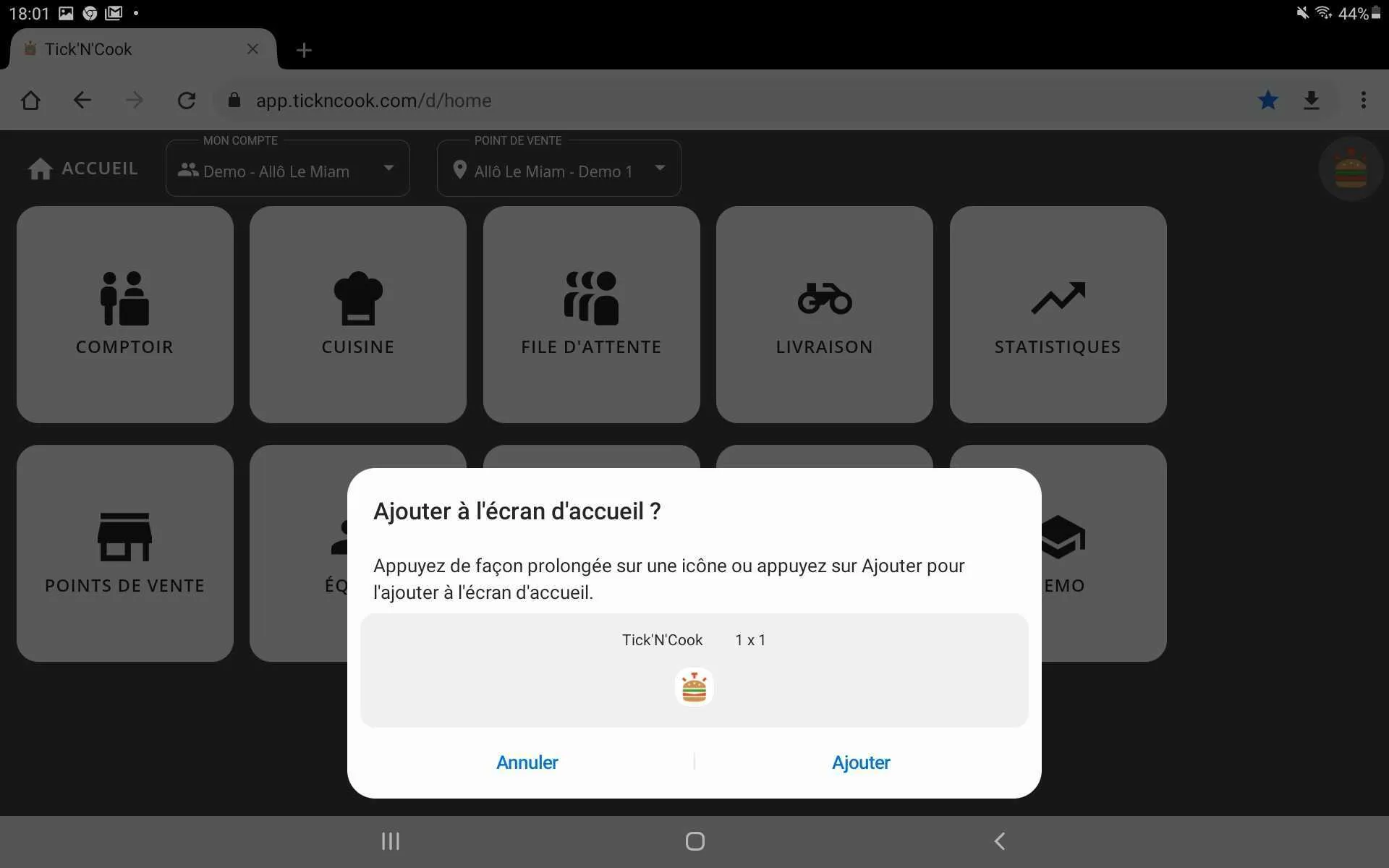
- Go to TicknCook from your web browser.
- On your first visit, the message above appears automatically. Tap Install.
- A confirmation popup appears. Tap Install.
- A new popup appears — tap Add.
- That’s it — the TicknCook icon has been added to your Android tablet home screen!