Log in
 Help
 Contact
 English
 Français
 Español
 Italiano


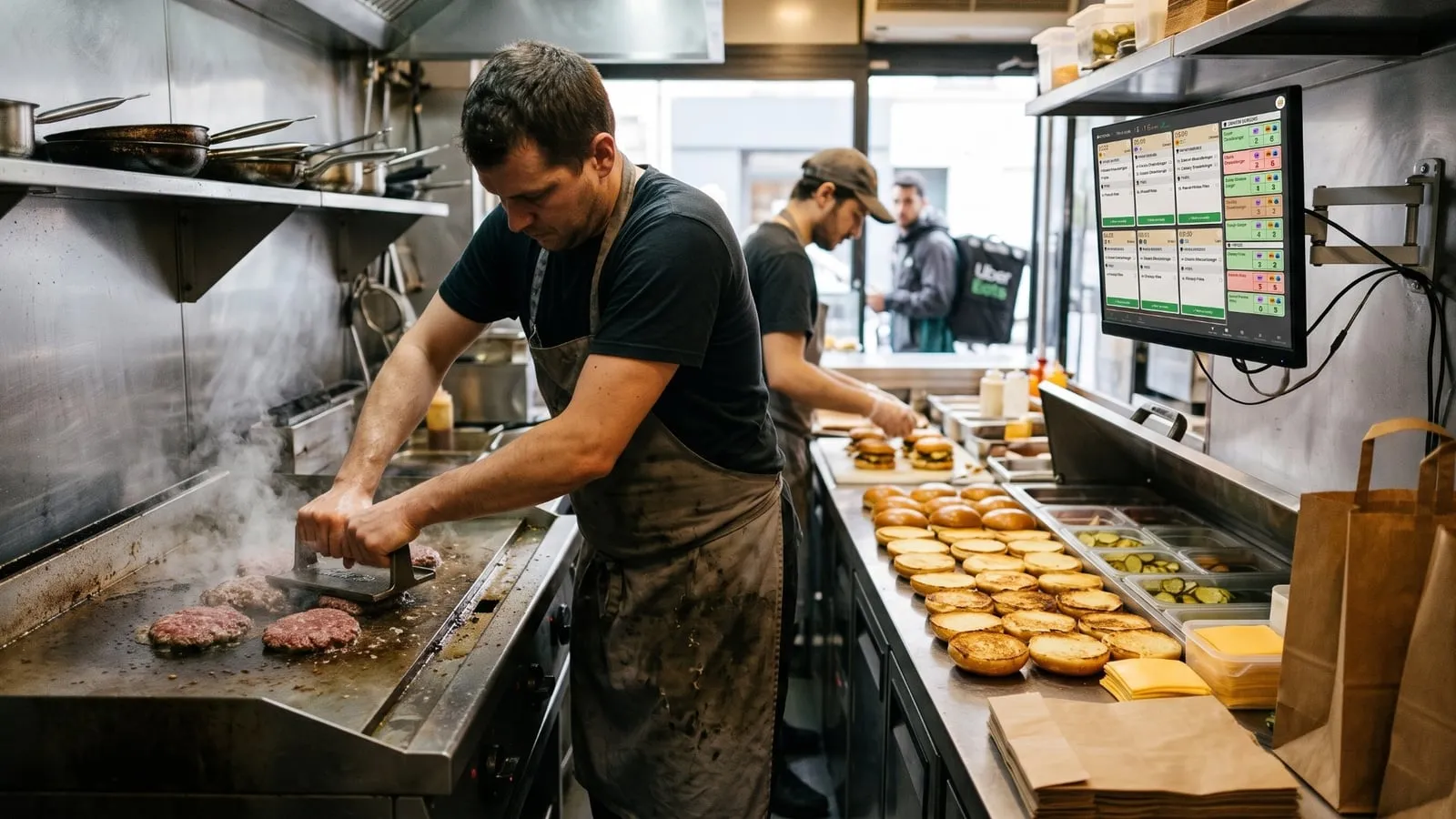
How much should you start preparing right now?
When you’re making burgers during a big rush, what matters is knowing what needs to be produced right now.
Because in a kitchen, reading through 15 different orders to count how many patties, chicken pieces or buns need to go on can quickly cost you time.
That’s exactly why TicknCook offers the combined view.
A particularly useful feature, inspired by the biggest restaurant chains like McDonald’s, for burger restaurants, fast food and any kitchen that handles large order volumes, even a crêperie!
This feature really comes into its own when your KDS is connected directly to your ordering platforms. Find out why you should connect your KDS directly to Uber Eats.
What is a combined view on a KDS?
The combined view shows two different pieces of information on the same screen:
- on one side, the detailed orders;
- on the other, an aggregated view of the items to prepare.
Your team keeps sight of each individual order while also seeing the overall production to get through.
And that dual view completely changes the way you work.
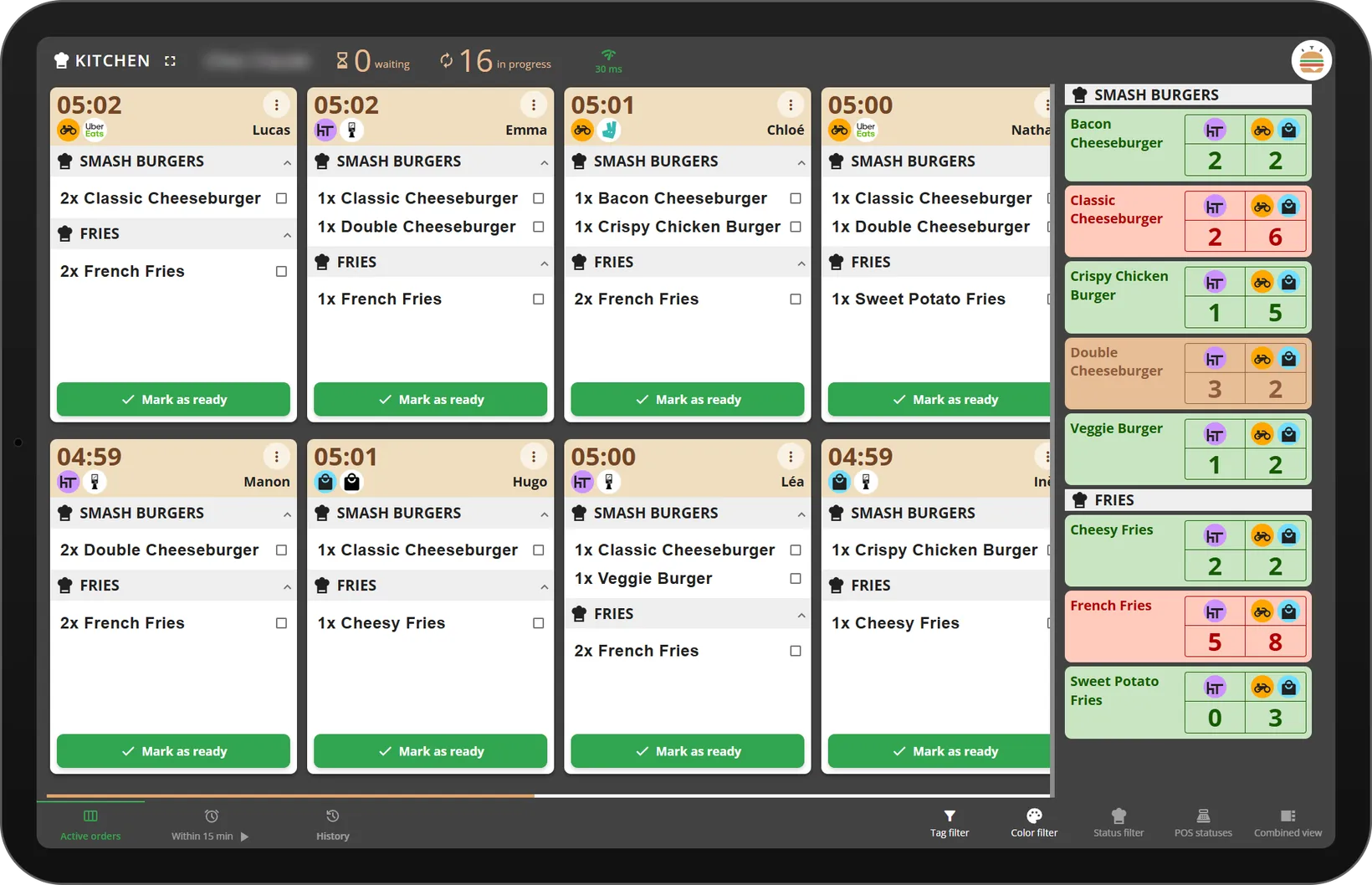
TicknCook’s combined view: orders on the left, quantities to produce on the right, with one column for eat-in and one for delivery and takeaway.
Use case: a takeaway and delivery smash burger restaurant
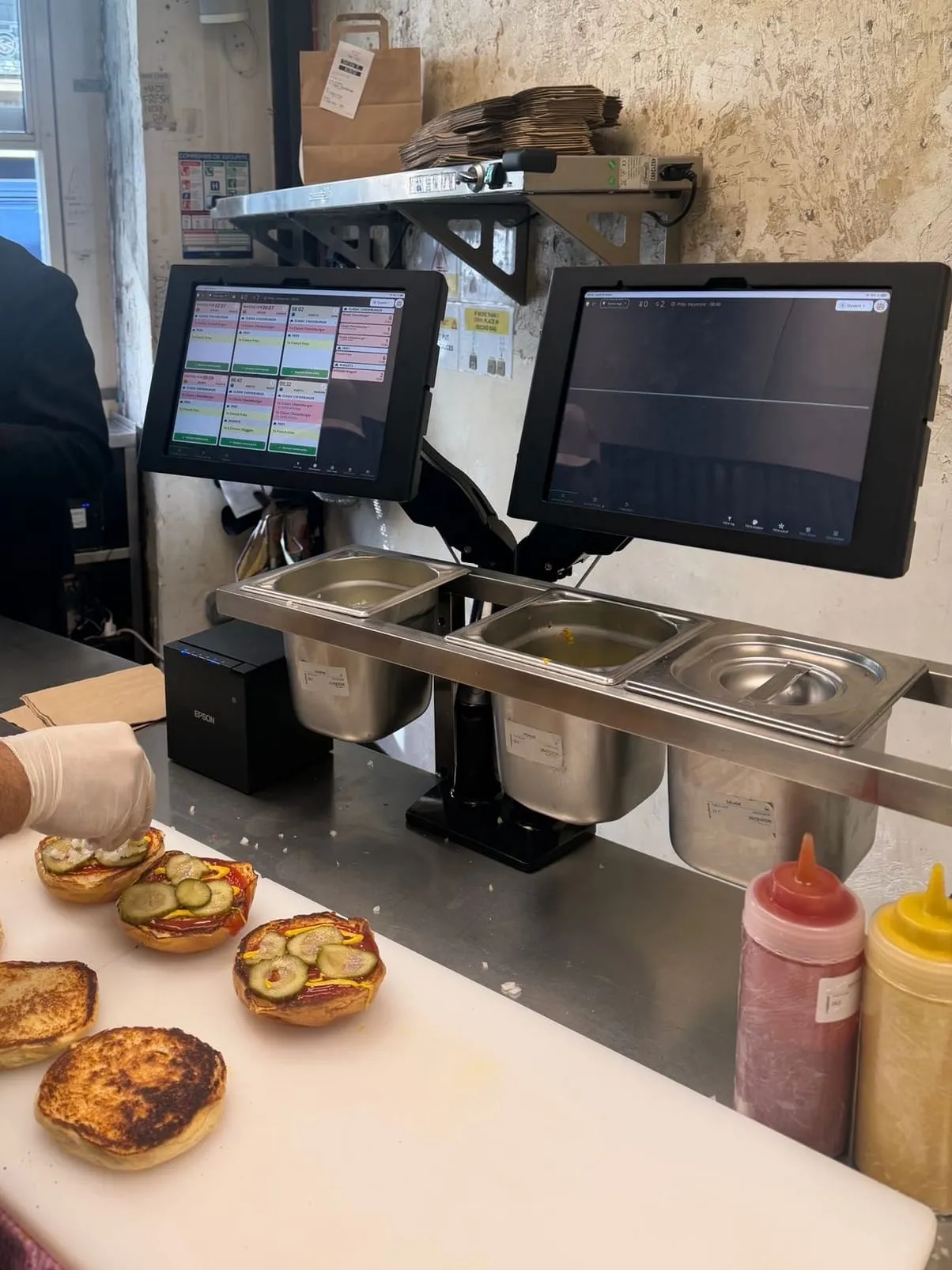
Our customer uses both TicknCook’s combined view and split view, connected to their Zelty POS.
This customer handles a very high volume of orders from self-service kiosks, Click & Collect and the Uber Eats and Deliveroo delivery platforms. And of course, those orders all arrive at practically the same time.
To make it even harder, the kitchen is small, with no room to add more screens.
Before, the team read every order one by one on printed tickets.
The result: preparation times that were far too long and a disorganised kitchen. There was literally a queue outside the restaurant and customers were getting impatient.
With TicknCook and the combined view in place, everything changed!
Preparation times dropped by as much as 50%!
Why?
Because instead of reading every ticket to work out that the cook has 8 Classic Cheeseburgers to prepare, including:
- 6 for takeaway or delivery, 1 of them without sauce;
- 2 to eat in, 1 of them without sauce or pickles;
they can read it all directly on the TicknCook screen, which automatically adds up the Classic Cheeseburgers while of course taking every detail of each order into account.
No more counting: TicknCook does it for them.
And it’s much faster. Especially with a short menu, which is the case here.
Once the whole batch of orders is ready, one tap and they’re gone.
The order view to assemble. The aggregated view to produce.
That’s probably the best way to understand what this feature is for.
The order view answers: “What goes into each order?”
It’s essential for assembly, final preparation and bagging.
The aggregated view answers: “How much do I need to produce?”
It’s especially useful for production stations.
One view helps you prepare the order. The other helps you prepare the volume.
And you need both to get the most out of a high-throughput kitchen.
Why is it so useful for high-volume restaurants with a short menu?
In a high-volume restaurant, an order rarely goes through a single person. And above all, there are lots of steps to chain together without losing a minute!
There’s order taking, then cooking, assembly, adding drinks or desserts, frying the chips, bagging, then delivery or handing the order to the customer.
Each station has to work fast, but above all at the right time.
If the grill station waits to see every order before starting to cook, it risks falling behind.
On the other hand, if it puts on too much, it risks producing for nothing.
The aggregated view helps you find the right balance.
Produce enough, but not too much. And above all, keep up the pace!
What about orders from Uber Eats, Deliveroo or my own Click & Collect channel?
That’s where the feature gets even more interesting.
Today, a kitchen can receive orders from several channels.
All of those orders ultimately have to be produced by the same team.
With a KDS connected to your different channels, orders can be centralised into a single production flow.
The combined view then lets you move from an order-by-order view to a far more operational one.
What’s more, the combined view clearly shows where each order comes from, and whether it’s eat-in, takeaway or delivery.
Your team can plan production ahead.
A particularly powerful feature during rushes
It’s during the busiest services that the combined view really proves its worth.
The combined view lets your team work with the information it actually needs.
The cook no longer wastes time counting.
They cook.
The kitchen is calmer and under less pressure.
Combined view + split view: the winning pair
The combined view tells you how many items to prepare.
The split view, for its part, helps you organise orders better on screen.
It splits the screen in two lengthwise so you can sort orders by ordering channel or service mode.
For example, I can easily spot:
- at the bottom of the screen: delivery and takeaway orders;
- at the top of the screen: eat-in orders.
So I know straight away whether the order goes in a bag or on a tray!
It may sound trivial, but when orders are flying in, this information saves the team time and, above all, avoids mistakes when the order is handed over.
The combined view tells you what to produce. The split view tells you where the order is going.
Together, they help the kitchen produce faster while keeping control of every order.
A KDS shouldn’t just display orders
It’s an important distinction.
A basic kitchen screen displays orders.
A KDS truly designed for fast food must also help teams organise production.
Because in the middle of a rush, your team doesn’t need more information.
It needs the right information, at the right time.
That’s exactly what the combined view is built for.
The orders to know what to assemble and when. The aggregation to know what to produce.
If you’re still getting to grips with how a KDS works, read our guide to the KDS connected to Uber Eats.
A faster kitchen, without asking your team to run any harder
The goal of a KDS isn’t to make your team work faster.
It’s to make them waste less time.
Less time:
- counting items;
- looking for an order;
- switching from one screen to another;
- asking a colleague what to prepare;
- checking what has already been produced.
And more time producing and serving orders.
This matters most in burger restaurants and fast food, where a few seconds saved at each step can make a big difference over a whole service.
KDS combined view: is it right for my restaurant?
The easiest way to find out: try it!
Many restaurants have already adopted it to manage their production, from fast food and dark kitchens to more traditional places like a crêperie.
The good news is that during the trial period, TicknCook is 100% free!
Setup is simple and free, and our team on WhatsApp helps you configure the screen.
TicknCook works on any touchscreen, so you can run the combined view on a tablet, but also on a large 13 to 27-inch touchscreen to display as many orders as possible.
The combined view can also help you handle rush periods and Uber Eats orders in the kitchen better.
In short
What if your KDS could tell you what to produce before you even had to count?
That’s exactly what TicknCook’s combined view does.
Orders, aggregation, prep steps and multi-channel management: everything is designed to help your kitchen produce more efficiently during rushes.
No credit card. No commitment. And you can try the combined view right in your own kitchen.