Log in
 Help
Help Contact
 English
 Français
 Español

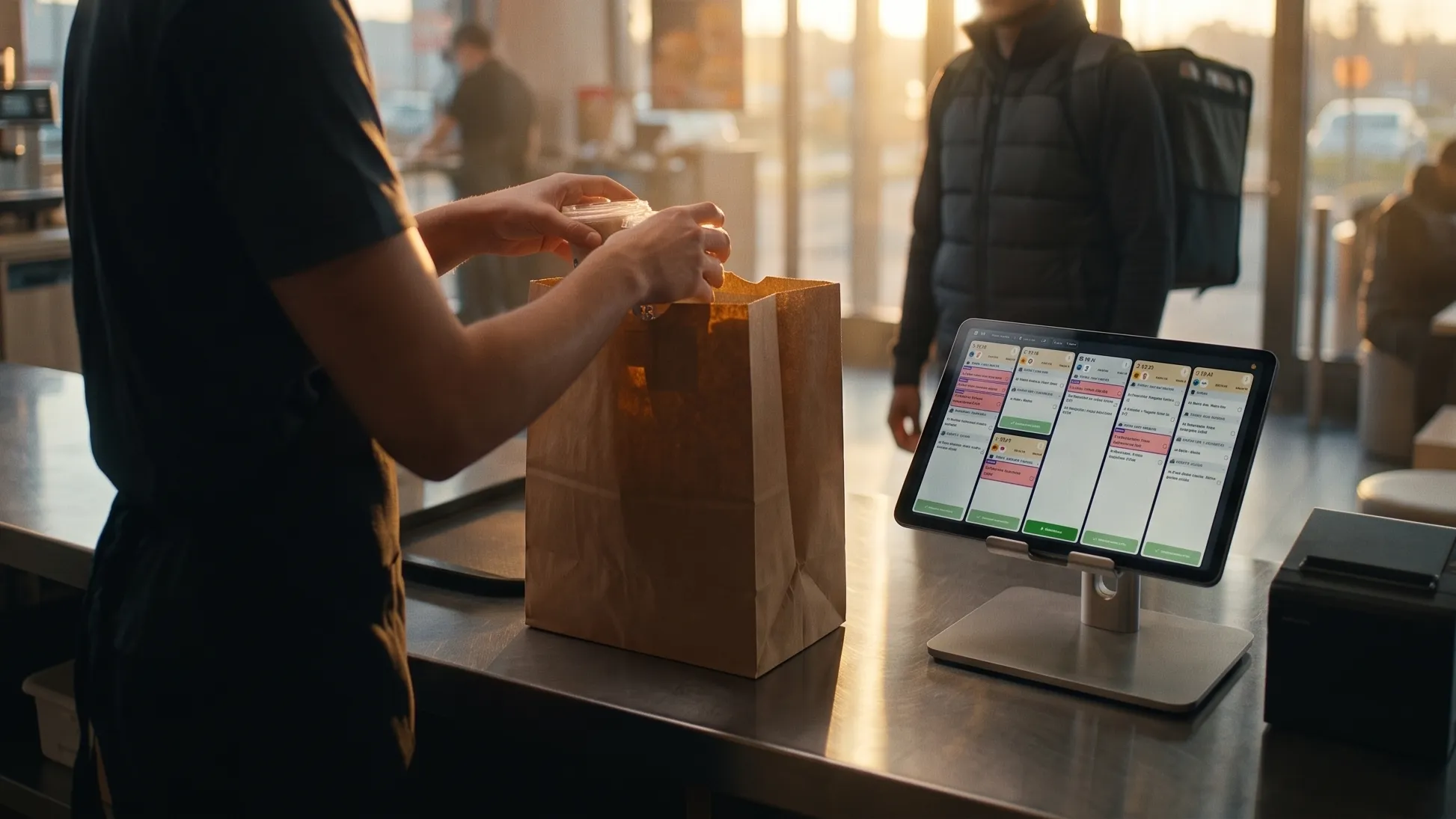
Your Uber Eats orders reach the kitchen on a screen. Great!
If that’s not the case yet, here’s why a kitchen production screen beats paper tickets when you deliver through the platforms: How to manage Uber Eats orders in the kitchen to improve customer satisfaction
Now, do you know when the courier is going to arrive, straight from that screen?
It’s an essential question for restaurants that make a significant share of their revenue from delivery. Receiving an order on a kitchen display is indispensable. But knowing when to prepare it so that it’s ready the moment the courier walks in is even better. That is precisely the point of a kitchen display connected directly to Uber Eats.
With a KDS like TicknCook, the kitchen no longer just displays orders: it can also pull certain information directly from the delivery platform and adapt its production accordingly.
What is a kitchen display connected to Uber Eats?
A kitchen display, or KDS (Kitchen Display System), replaces paper tickets and shows orders directly on one or more screens in the kitchen.
Orders can come from different channels: POS, online ordering, Click & Collect or delivery platforms.
In the classic setup, the KDS usually receives orders through the POS system or an aggregator (such as Hubrise or Deliverect).
But there is another option: connecting the KDS directly to Uber Eats. That’s what TicknCook makes possible.
The solution connects directly to the restaurant’s Uber Eats account. This direct connection goes further, retrieving information straight from the platform. You can leave your Uber Eats tablet in the cupboard.
If you’d first like to understand how a KDS connected to Uber Eats works, read our article Uber Eats KDS: how does a kitchen display work?
Why connect your KDS directly to Uber Eats?
Because your kitchen needs to know when the courier arrives
With a high volume of delivery orders, you need to organise production around one key piece of information: the courier’s arrival.
Which order should your team prepare first? The question matters even more if you serve hot dishes, such as burgers or pizzas.
With a direct connection between Uber Eats and your kitchen display, TicknCook can retrieve courier information, including their estimated arrival time. And it updates automatically!
Your team can better synchronise production with the flow of couriers. The goal: prepare the order at the right moment.
Group orders picked up by the same courier
A single courier may pick up several orders. If your team prepares them without knowing this, they will likely handle each order separately.
With TicknCook’s direct Uber Eats integration, orders picked up by the same courier can be grouped together. The kitchen immediately understands that several orders need to be prepared together.
This is especially valuable for restaurants with a high volume of Uber Eats orders during peak hours.
Reorder priorities based on courier arrivals
A KDS is there to organise priorities in the kitchen. But when a restaurant does a lot of delivery, priority no longer depends only on when the order came in. It also depends on when it needs to be picked up.
Thanks to the information sent by Uber Eats, TicknCook lets you reorder tickets based on courier arrivals. Your kitchen can adapt its production pace to the real rhythm of deliveries.
TicknCook also allows manual ordering of tickets, so you can push an order to the front for your team.
Also discover TicknCook’s combined view to optimise kitchen production.
Reduce courier waiting time
When orders are ready too late, the courier waits. When they are ready too early, they sit on the pass and lose quality.
The right goal is to synchronise preparation with the courier’s arrival. On top of that, it also improves your customers’ satisfaction!
This is one of the main benefits of a KDS connected directly to the delivery platform. TicknCook aims to increase order throughput while reducing courier waiting time and the risk of meals delivered cold.
Manage your Uber Eats store directly from the KDS
The direct integration also goes beyond displaying orders. With TicknCook, some actions can be performed directly from the kitchen display, such as managing the store’s busy and snooze modes.
Why is that useful? Because in the middle of a rush, your team doesn’t necessarily have time to grab another tablet, open Uber Eats and change the restaurant’s settings. If the kitchen is overloaded, it can act directly from its production tool.
Your KDS becomes a real tool for steering the service.
Uber Eats kitchen display: how is it different from a classic integration?
A restaurant may already receive its Uber Eats orders on its kitchen display through its POS system or an aggregation solution. So why would you need a direct connection?
Because a direct integration gives the KDS access to additional information coming straight from the platform. In TicknCook’s case, this notably covers courier-related data, and enables extra features such as order grouping, estimated arrival time display, or store management from the KDS.
The goal is to get the delivery platform and your production talking to each other more. That saves time and money!
Also discover our direct Uber Eats, Deliveroo and DOOD integrations to better understand these 3 ordering channels, all connected directly to TicknCook, and their role in your digital ecosystem.
Which restaurants benefit most from a KDS connected to Uber Eats?
This solution is particularly relevant for restaurants that do a lot of delivery sales.
Fast food
When orders come in fast, a few minutes’ gap is enough to create a queue of couriers. The KDS helps organise priorities and production.
Dark kitchens
For a dark kitchen, delivery is at the heart of the business model. TicknCook lets you receive Uber Eats orders directly on your KDS screens, without necessarily needing a POS system.
Other restaurants with high delivery volumes through platforms
As the volume of platform orders grows, it becomes ever more important to have a clear view of what needs to be prepared, and when.
Multichannel restaurants
Dine-in, takeaway, Click & Collect, Uber Eats… The more ordering channels you have, the more the kitchen needs a tool that centralises and organises production.
An Uber Eats KDS does more than replace paper tickets
This is probably the key takeaway.
A kitchen display already digitises tickets, organises them and tracks their preparation. But a KDS connected directly to Uber Eats can go much further.
It brings together three elements that need to work as one: order taking, kitchen production and delivery.
And when these three elements are better synchronised, the restaurant can produce more efficiently, reduce waiting times and stay in control of its service.
What if your kitchen display could work at the pace of your couriers?
That is exactly the goal of TicknCook’s direct Uber Eats integration.
Your orders land on your KDS. Courier information flows into your kitchen. Your priorities adapt. And your team stays in control of the service.
Try TicknCook for free and see in a few minutes how a kitchen display connected to Uber Eats works. 15-day free trial. No commitment.